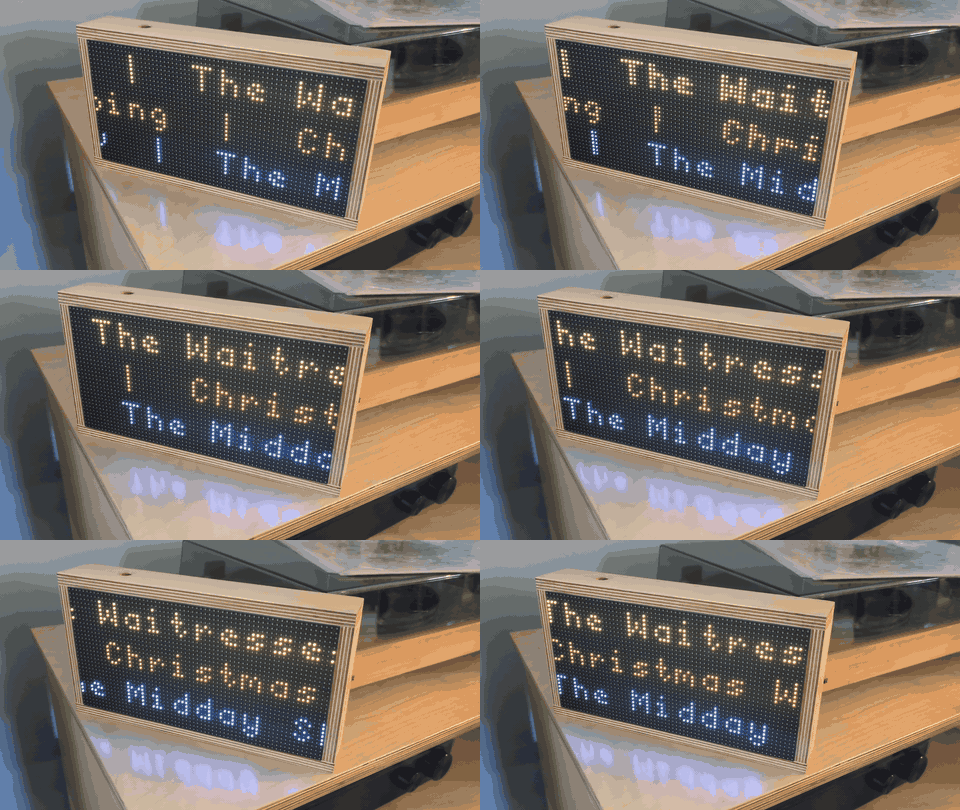
I listen to KEXP a lot. It’s on in the background while I’m working, making coffee, cooking dinner, whatever. However, I no longer live in Seattle and wanted to bring KEXP into my life even more…Enter: the KEXP now playing display. A Raspberry Pi-powered RGB LED matrix shows whatever’s currently playing on KEXP in real time, even when I’m not listening.
The Hardware Setup
A few years ago, my holiday project was setting up an LED matrix to display what flights were passing by our house based on the great project from Collen Waddell: FlightTracker. In the intervening years, I had moved halfway across the country, and was looking forward to a new project. The setup is pretty straightforward: a Raspberry Pi Zero 2 W, an RGB LED matrix display, and an Adafruit RGB Matrix Bonnet HAT to wire everything together. Same hardware as FlightTracker, different software. It polls the KEXP API every few seconds and renders the now playing information on the LED matrix.
The Software Approach
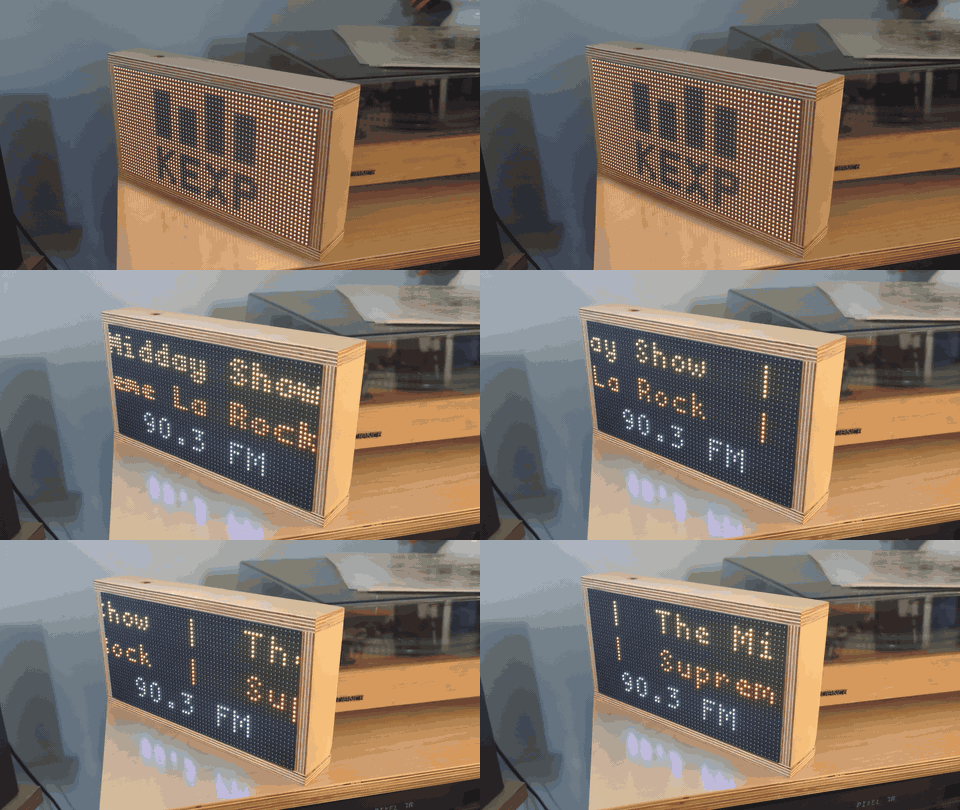
I discovered KEXP’s public API during some routine home networking projects and found that it’s actually very easy to work with. The main endpoint I’m using is https://api.kexp.org/v2/plays/, which returns recently played tracks including the current one. Each response includes artist, song, album, show information, and a bunch of other metadata. The display logic is handled by the rpi-rgb-led-matrix library. For text that’s too long to fit on the display, I implemented scrolling. Artist names scroll on the top line, song titles in the middle, and show information on the bottom. Between sets, the display shows the current show and DJ, alternating every 20s with the best 64x32 rendition of the KEXP logo that I could come up with. The project was nearly entirely created with Claude Code (sonnet 4.5), with some loving tweaks from yours truly.
Color Schemes
Each KEXP show has its own personality, so I wanted the display to reflect that. I created custom color palettes for each show, trying to match the vibe of each one. “Early” gets soft pastels. “Drive Time” gets traffic light colors. “Audioasis” gets moody PNW winter colors.
I spent way too much time tweaking hex codes and testing them on the actual LED matrix, because colors that look good on a computer screen don’t always translate well to LEDs. The result is a display that changes character throughout the day as different shows come on. When “The Morning Show” starts, the whole thing shifts to oranges and golds. When “Astral Plane” comes on late at night, it’s all purples and cyans. Check out the current color profiles (and feel free to suggest better ones).
Things I’d Like to Improve
The project works pretty well as-is, but there are definitely some things I want to revisit. Non-latin characters aren’t available in the font so they show up as ? and some characters are simply too complex for the LED matrix to faithfully reproduce with the 64x32 resolution. I’d love to add an ON-AIR light to the top of the box that illuminates when I’m actually streaming KEXP, but I don’t have any simple way of telling the Pi that this is happening at the moment.
Getting Your Own
If you want to build one yourself, I suggest following the hardware sourcing and assembly instructions over here: https://colinwaddell.com/articles/flight-tracker and then heading to https://github.com/allaway/live-on-kexp/ for the software and installation instructions.
The project is GPL-3.0, so feel free to fork it, modify it, use it as a starting point for your own LED matrix project, whatever. As previously mentioned, I heavily relied on FlightTracker for inspiration and rpi-rgb-led-matrix for the display.